
An HDMI dummy plug looks simple, but it solves a real problem in modern computing. Many PCs, mini computers, GPU servers, and remote workstations behave differently when no monitor is connected. The operating system may reduce the available resolution, disable normal display output, fail to initialize the GPU correctly, or show a black screen during remote access.
This is where an HDMI dummy plug becomes useful. It creates the impression that a display is attached, allowing the computer to generate a stable virtual screen. For AI Agent workstations, remote desktop systems, cloud computing nodes, and headless GPU servers, this small adapter can become a practical reliability tool.
What Is an HDMI Dummy Plug?
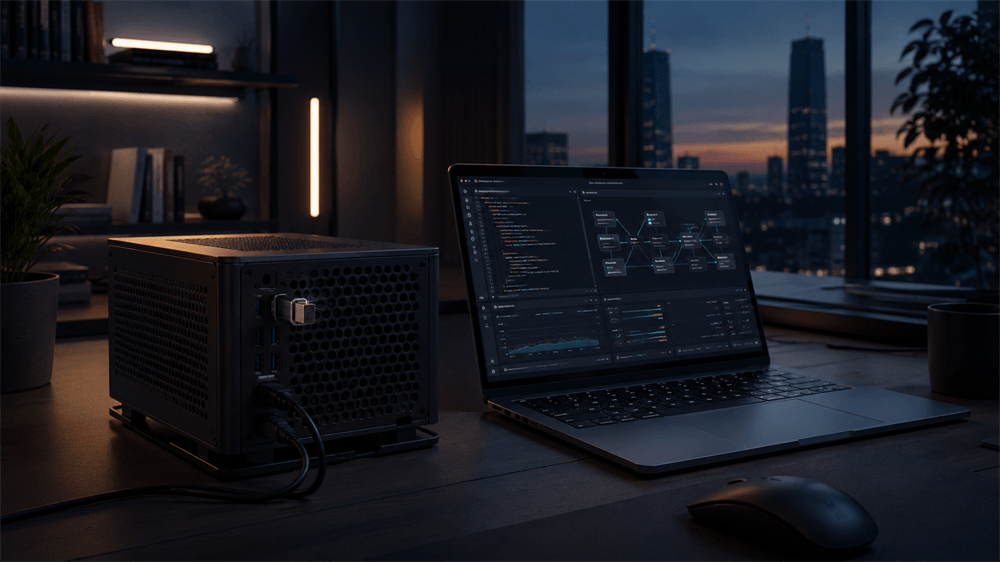
An HDMI dummy plug is a compact HDMI adapter that plugs into the HDMI output port of a computer, graphics card, laptop, mini PC, or server. It is also known as an HDMI display emulator, HDMI headless adapter, or EDID emulator.
It does not show an image by itself. There is no screen inside the device. Instead, it communicates with the source device as if it were a monitor. Once detected, the computer can create a virtual display with supported resolution and refresh rate settings.
This makes HDMI dummy plugs especially useful for systems that operate without a physical monitor, such as remote office PCs, rendering machines, server racks, AI automation workstations, and unattended industrial computers.
How Does an HDMI Dummy Plug Work?
The working principle of an HDMI dummy plug depends mainly on HDMI detection and EDID communication.
When a normal monitor is connected to a computer through HDMI, the source device first detects that a display is present. Then it reads the display’s EDID information. EDID, or Extended Display Identification Data, works like the monitor’s digital identity card. It tells the computer what resolutions, refresh rates, color formats, and display modes the monitor can support.
An HDMI dummy plug imitates this process. When inserted into the HDMI port, it provides display identification information to the computer. The system then believes a real monitor is connected and enables a usable video output mode.
In simple terms, the dummy plug says to the computer: “A display is available. These are the display modes it supports.” After that, the operating system can create a virtual desktop, and remote access software can capture or stream that desktop more reliably.
Why Headless Systems Need an HDMI Dummy Plug
A headless system is a computer that runs without a monitor, keyboard, or mouse. This setup is common in server rooms, home labs, AI workstations, mini PC clusters, and remote management environments.
However, some systems do not handle headless operation smoothly. Without a detected display, the graphics driver may not activate the expected output path. Remote desktop software may be limited to low resolutions such as 800 × 600 or 1024 × 768. Some applications that rely on GPU rendering or screen capture may fail to start correctly.
An HDMI dummy plug helps solve these problems by keeping a virtual display active. It allows the system to maintain a consistent desktop environment even after rebooting, logging out, or running unattended for long periods.
This is particularly important for AI Agent workflows. Modern AI automation often uses browser-based interfaces, remote dashboards, visual task execution, and screen monitoring. A stable virtual display gives these workflows a more predictable operating environment.
HDMI Dummy Plug vs. Software Virtual Display Driver
A software virtual display driver can also create a virtual monitor, but it depends on operating system support, driver installation, and software compatibility. This may be acceptable for some advanced users, but it adds complexity.
A hardware HDMI dummy plug is usually simpler. It is plug-and-play, does not require a software driver in most cases, and can work from the early boot or login stage depending on the system. For unattended devices, remote workstations, and dedicated AI machines, a hardware solution is often more reliable.
Software solutions are still useful when the device has no HDMI output or when very specific custom display settings are needed. But for most headless computers with an available HDMI port, an HDMI dummy plug remains the more direct and stable option.
Recommended Product: VCOM DU705/DU705b HDMI Dummy Plug
For professional users, the VCOM DU705/DU705b HDMI Dummy Plug is a strong choice. It is designed as a 4K HDR virtual display emulator for headless systems and remote computing environments.
It supports up to 3840 × 2160 at 60Hz, making it suitable for high-resolution remote desktops, multi-window workflows, AI Agent monitoring, and GPU-related tasks. It is HDMI 2.0-compatible and supports Windows, macOS, and Linux.
The VCOM DU705/DU705b is also bus-powered via HDMI, so no external power adapter is required. Its compact aluminum housing and durable HDMI connector design make it suitable for long-term installation in workstations, server environments, and portable setups. The DU705 version includes a blue LED status indicator for quick confirmation of activity, while the DU705b version is available without an indicator light for users who prefer a cleaner, light-free installation.
For AI automation platforms, remote access systems, MacBook clamshell deployments, and headless GPU servers, the VCOM DU705/DU705b offers a practical balance of simplicity, compatibility, and professional-grade stability.
FAQs About HDMI Dummy Plugs
1. Does an HDMI dummy plug display video?
No. An HDMI dummy plug does not have a screen and cannot show images by itself. It only emulates a display so the computer can generate a video signal and maintain a virtual desktop environment.
2. Why is an HDMI dummy plug useful for a remote desktop?
Many remote desktop tools need an active display environment to show the correct resolution and desktop layout. Without a monitor, the remote session may show a black screen or low resolution. An HDMI dummy plug helps keep the virtual screen active and stable.
3. Can an HDMI dummy plug improve GPU performance?
An HDMI dummy plug does not increase the raw computing power of a GPU. However, it can help the system activate normal display output and GPU-related functions in headless environments, which may improve the stability of remote visualization, rendering, screen capture, and AI workflow monitoring.
4. Is an HDMI dummy plug needed for AI Agent workstations?
For many AI Agent workstations, an HDMI dummy plug is highly useful. AI automation tasks often rely on browser interfaces, visual workflows, remote dashboards, and screen monitoring. A dummy plug helps maintain a consistent virtual display, reducing the risk of black screens or resolution changes.
5. What resolution should an HDMI dummy plug support?
For basic remote management, 1080p may be enough. For professional use, 4K support is recommended. A 4K@60Hz HDMI dummy plug, such as the VCOM DU705/DU705b, provides more screen space for multi-window workflows, remote desktop operation, AI monitoring, and GPU server management.
6. Does an HDMI dummy plug require drivers?
Most HDMI dummy plugs are plug-and-play and do not require additional drivers. They work by communicating display information through the HDMI interface, so setup is usually simple: plug it into the HDMI port, restart the system if needed, and adjust display settings.
7. Can an HDMI dummy plug work with Windows, macOS, and Linux?
A good HDMI dummy plug should support major operating systems, including Windows, macOS, and Linux. The VCOM DU705/DU705b is designed for broad system compatibility, making it suitable for PCs, MacBook clamshell setups, Linux servers, and AI workstations.
8. Can an HDMI dummy plug be used on a laptop?
Yes. An HDMI dummy plug can be used on laptops with HDMI output. It is especially useful for remote access, closed-lid operation, MacBook clamshell-style setups, and situations where a stable virtual external display is needed.
Tag:HDMI Dummy Plug


