


【Application Environment】
Connect USB-C laptops to HDMI monitors, projectors, and TVs
Business presentations and conference room display output
Home entertainment on larger HDMI screens
Wall-adjacent or space-limited setups that benefit from a 90° adapter
Cleaner cable routing for desk and workstation environments
【Application Environment】
Connect USB-C laptops to HDMI monitors, projectors, and TVs
Business presentations and conference room display output
Home entertainment on larger HDMI screens
Wall-adjacent or space-limited setups that benefit from a 90° adapter
Cleaner cable routing for desk and workstation environments
【Features】
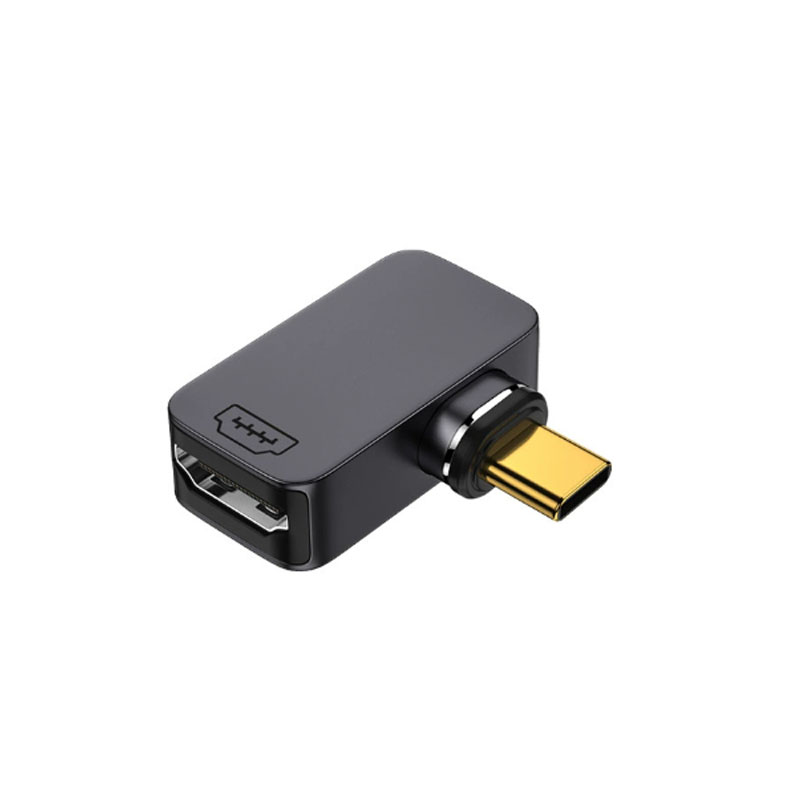
L-Type 90° Connector Design
The straight-to-center symmetrical 90° structure is designed to reduce cable bending and improve usability in narrow spaces or wall-adjacent setups.
N52 Magnetic Connector Structure
Built with an N52-grade neodymium magnetic connector for convenient attachment and stable positioning. This is the page’s clearest differentiator versus ordinary USB-C to HDMI adapters.
4K@60Hz Video Output
Supports video output up to 4K@60Hz for smooth, high-resolution display performance. Comparable USB-C to HDMI adapters from StarTech and uni also use 4K60 as the headline display spec.
18Gbps Bandwidth
The specification table lists bandwidth up to 18Gbps, which aligns with the 4K60 HDMI-adapter class commonly highlighted on comparable product pages.
Aluminum Shell and Gold-Plated Contacts
The aluminum housing improves durability and heat dissipation, while gold-plated contacts support more reliable signal connection.
【FAQs】
Q1: What is the maximum resolution supported by the CA491AM?
The page lists support for video output up to 4K@60Hz.
Q2: What is the bandwidth of this adapter?
The specification table lists bandwidth up to 18Gbps.
Q3: What makes this adapter different from a standard USB-C to HDMI adapter?
Its main differentiators are the L-type 90° connector and the N52-grade magnetic structure, both of which are especially useful for tight-space setups and cleaner cable routing.
Q4: What devices can it be used with?
The page positions it for USB-C devices connecting to HDMI displays such as monitors, projectors, and TVs.
