
During daily use of portable SSD enclosures, many users notice a common occurrence: the device becomes warm after extended operation. This phenomenon often raises questions such as:
• Why does it heat up?
• Does heating indicate a malfunction?
• Will it damage the hard drive?
• Why do certain enclosures require specialized cooling designs?
This article provides a clear, science-based analysis of the root causes, technical mechanisms, and real-world implications of heat generation in SSD enclosures.
Heat Generation: A Universal Phenomenon in Electronics
The Physical Root Cause
All electronic devices produce heat during operation—this is a fundamental law of physics. From smartphones and laptops to routers and gaming consoles, a portion of electrical energy is inevitably converted into thermal energy.
When an SSD performs high-speed data read/write tasks, its internal chips operate at peak intensity, similar to a computer’s “brain” working overtime. The greater the workload, the more heat is generated.
Simple Analogy
Think of an SSD like the human body during exercise:
• Light walking → minimal warmth
• Intense running → rapid rise in body temperature
High-speed data transfers put the SSD into “sprint mode,” naturally producing noticeable heat.
Understanding the Nature of Heat
Objective Assessment
Condition | Description | Evaluation |
No heat at all | Practically impossible | Abnormal |
Moderate warmth | Normal operating state | Normal & expected |
Excessive heat | Insufficient heat dissipation | Needs attention |
The Real Criterion
Heat itself is neither good nor bad. The decisive factor is whether the generated heat can be dissipated efficiently. If heat accumulates, problems can arise.
How High Temperatures Affect SSD Performance
Built-in Protection Mechanisms
Modern SSDs include intelligent thermal throttling: when temperatures rise too high, the drive automatically reduces speed to safeguard internal components.
What Users Experience
You may notice:
• Fast initial file transfer speeds
• Noticeable slowdown after prolonged use
This is the SSD’s protective mechanism kicking in—completely normal behavior.
Why SSD Enclosures Need Advanced Cooling Designs
Core Purpose
Since SSDs generate heat, effective cooling is essential—exactly like the fans inside a PC. The goal is to rapidly transfer heat from the drive to the outside environment.
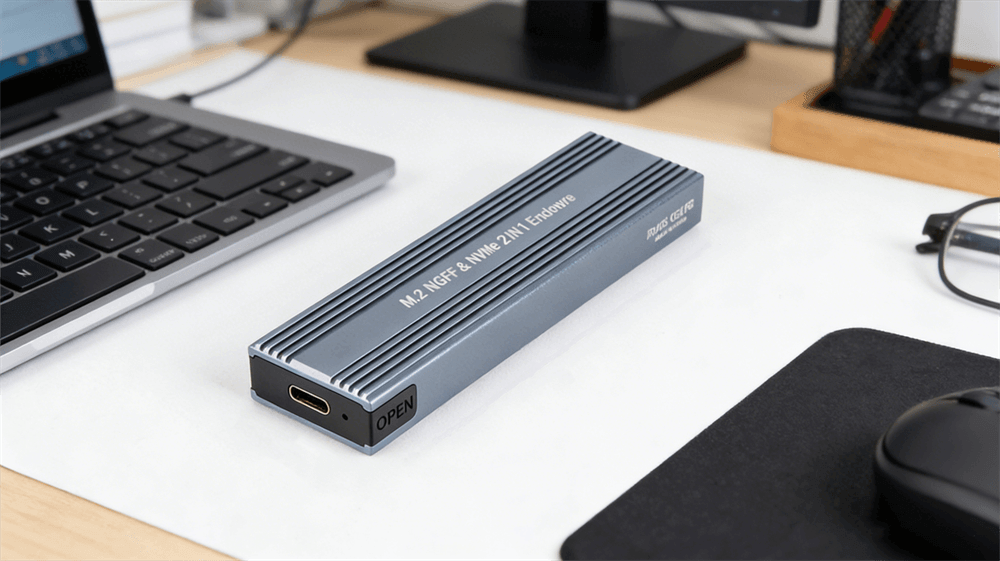
VCOM's SSD Enclosure Series is engineered with this principle in mind, delivering premium cooling performance across its entire lineup.
Common Cooling Technologies
Metal Enclosures
Excellent thermal conductivity
Large surface area for heat dissipation
Optimized Internal Structures
Enhanced airflow channels
Strategic heat conduction paths
High-Performance Thermal Materials
Professional-grade media for maximum efficiency
VCOM’s series stands out by integrating all three elements, ensuring your SSD stays cool even under heavy workloads.
The Role and Science of Thermal Silicone Pads
How Thermal Silicone Pads Work
Many high-quality enclosures—including VCOM’s SSD Enclosure Series—feature thermal silicone pads. These pads efficiently conduct heat from the SSD chips to the metal outer shell.
Problems They Solve
Without a thermal interface, tiny air gaps act as insulators. Thermal silicone pads:
• Fill microscopic gaps
• Ensure tight contact with chip surfaces
• Create a high-efficiency heat pathway
Heat Flow Path
SSD chip → Thermal silicone pad → Metal enclosure → Outside air
VCOM uses premium-grade thermal silicone pads to maximize this pathway, providing superior heat transfer compared to standard designs.
Thermal Paste vs. Thermal Silicone Pads
Thermal Paste Overview
Thermal paste is a thick, paste-like material commonly used on CPUs. It performs a similar function but differs in consistency.
Why Manufacturers Prefer Pads in Enclosures
Hard drive enclosure makers (including VCOM) choose pre-cut thermal silicone pads because they are:
• Easier and cleaner to install
• Resistant to leaking or shifting
• More cost-effective for long-term maintenance
Conclusion & Practical Advice
Key Takeaway
Heat generation in SSD enclosures is completely normal and stems directly from the physics of high-speed SSD operation.
Potential Risks of Poor Cooling
Excessive heat can lead to:
• Performance throttling and slower transfers
• Reduced long-term reliability
The Value of Smart Design
Advanced cooling solutions—metal shells, optimized structures, and high-quality thermal pads—are engineered to keep drives stable, fast, and safe. VCOM’s SSD Enclosure Series embodies these best practices, offering users reliable performance and peace of mind.
User Recommendations
Choose quality products with proven cooling designs—VCOM’s series are an excellent choice.
Use in well-ventilated environments and avoid sealed, high-temperature spaces.
Keep vents clean for optimal airflow.
Avoid continuous maximum-load transfers for extended periods.
With proper cooling management and smart usage habits, you can enjoy maximum speed and reliability while protecting your valuable data.
VCOM – Engineered for Performance, Built for Reliability.
Tag:SSD Enclosure


Related Products
 | |
| M.2 NVMe & SATA SSD Enclosure | |
 |  |
