
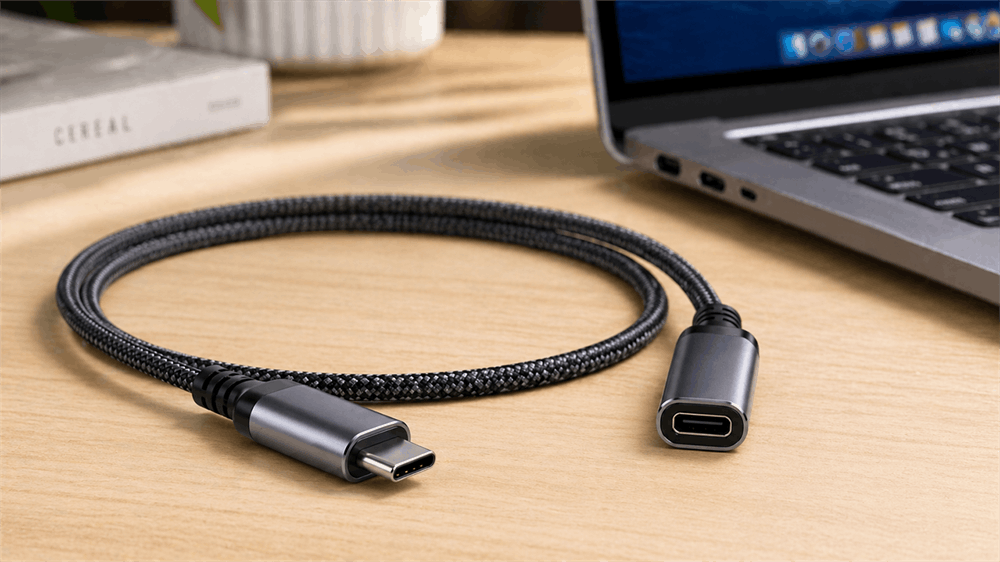
A USB-C extension cable is a deceptively simple accessory that plays a critical role in modern connectivity. Designed with a male connector on one end and a female port on the other, it effectively extends the reach of existing USB-C cables without altering device compatibility.
As USB-C becomes the universal standard for charging, data transfer, and video output, extension cables have moved from niche accessories to essential components in both consumer and professional environments. From optimizing workstation ergonomics to protecting expensive device ports, their utility spans far beyond basic convenience.
How USB-C Extension Cables Work
At a technical level, a USB-C extension cable acts as a signal bridge. However, unlike legacy USB extensions, USB-C introduces significantly higher complexity due to:
Bidirectional power flow (USB Power Delivery)
High-speed differential data lanes
Alternate modes (DisplayPort, Thunderbolt)
Passive vs Active Cables
Passive Extension Cables
These rely purely on conductive wiring. They are cost-effective but limited in length and performance stability.
Active Extension Cables
Equipped with internal signal boosters or retimers, these maintain signal integrity over longer distances, especially for high-speed data and video transmission.
Key Technical Specifications to Understand
Data Transfer Speeds
USB-C cables support multiple protocols:
USB 2.0: 480 Mbps
USB 3.2 Gen 1: 5 Gbps
USB 3.2 Gen 2: 10 Gbps
USB 3.2 Gen 2x2: 20 Gbps
USB4 / Thunderbolt: up to 40 Gbps
Choosing the correct speed tier is essential for avoiding bottlenecks.
Power Delivery (PD) Ratings
Modern USB-C extension cables support:
60W (3A) – phones, tablets, ultrabooks
100W (5A) – laptops, monitors
240W (EPR standard) – high-performance workstations
Video Output Capabilities
Depending on cable quality and chipset support:
4K @ 60Hz (common baseline)
8K support (USB4/Thunderbolt-grade cables)
Cable Length vs Performance
Signal degradation increases with length. As a rule:
≤1 meter: optimal performance
1–2 meters: acceptable with quality shielding
2 meters: requires active circuitry for high-speed tasks
Common Use Cases
Workstation Optimization
Extending docking station cables improves accessibility and reduces cable strain behind desks.
Charging Flexibility
Allows power adapters to remain stationary while devices are used at a distance.
Gaming and VR
Critical for VR headsets and gaming peripherals, where cable reach directly affects usability.
Professional AV Setups
Used in camera rigs, monitors, and live production environments requiring reliable video transmission.
Advantages of Using a USB-C Extension Cable
Port Protection
Frequent plugging and unplugging wear out device ports. Using an extension cable shifts the wear to a replaceable accessory.
Improved Ergonomics
Clean cable routing and extended reach contribute to a more efficient workspace.
Versatility
Compatible with a wide range of devices, including:
Laptops (MacBook, Windows ultrabooks)
Smartphones and tablets
External SSDs and hubs
Displays and docking stations
Potential Limitations and Risks
Signal Degradation
Long or poorly shielded cables can introduce:
Data errors
Reduced transfer speeds
Video instability
Compatibility Issues
Not all extension cables fully support:
Thunderbolt
High-wattage charging
DisplayPort Alt Mode
Certification Concerns
Non-certified cables may fail to meet USB-IF standards, posing risks such as:
Overheating
Power negotiation failure
Device damage in extreme cases
How to Choose the Right USB-C Extension Cable
Match Specifications to Use Case
Charging only → prioritize wattage
Data transfer → prioritize speed (Gbps)
Video output → ensure Alt Mode/Thunderbolt support
Build Quality
Look for:
Braided shielding
Reinforced connectors
High-quality internal wiring (copper core, proper shielding layers)
Certification
USB-IF certification ensures compliance with industry standards and reliable interoperability.
FAQs of USB-C Extension Cable
1. Can a USB-C extension cable support fast charging?
Yes, but only if it supports USB Power Delivery (PD). Common ratings include:
60W (standard devices)
100W (laptops)
240W (high-power devices, newer standard)
Always verify the wattage rating before use.
2. Are USB-C extension cables compatible with Thunderbolt?
Not all of them. Thunderbolt (especially Thunderbolt 3/4) requires:
High bandwidth (up to 40Gbps)
Strict signal integrity
Only certified high-speed cables explicitly labeled for Thunderbolt or USB4 should be used.
3. Can USB-C extension cables carry video signals?
Yes, if they support DisplayPort Alt Mode or USB4/Thunderbolt standards. This enables:
4K video output (common)
8K video (with high-end cables)
Compatibility depends on both the cable and connected devices.
4. What is the maximum recommended length for a USB-C extension cable?
For optimal performance:
Up to 1 meter: best reliability
1–2 meters: acceptable for most uses
Over 2 meters: may require active (signal-boosted) cables
Longer cables increase the risk of signal degradation.
5. Will a USB-C extension cable work with all USB-C devices?
Physically, yes—but functionality varies. Some cables may not support:
High-speed data
Video output
High-wattage charging
Always match the cable specifications to the intended use.
6. Can multiple USB-C extension cables be chained together?
This is not recommended. Chaining extensions can:
Degrade signal quality
Cause connection instability
Reduce power delivery efficiency
A single high-quality cable is always preferable.
7. Is a USB-C extension cable the same as a USB-C hub?
No.
Extension cable → extends a single connection
USB-C hub → expands one port into multiple ports (USB, HDMI, etc.)
They serve different purposes and are not interchangeable.
8. When should an active USB-C extension cable be used?
Active cables are recommended for:
Long cable runs (>2 meters)
High-resolution video (4K/8K)
Thunderbolt or USB4 setups
Professional or mission-critical environments
Tag:USB-C Extension Cable


