
For many years, HDMI cables were treated as simple accessories. If the screen turned on, most users assumed the cable was good enough. That logic worked in the age of 1080p at 60Hz, standard HDR, and relatively modest video data. Modern gaming has changed that completely.
Today’s gaming setups are built around 4K resolution, 120Hz or 144Hz refresh rates, HDR, VRR, low-latency modes, and increasingly advanced displays. Consoles such as PlayStation 5 and Xbox Series X, gaming PCs, and high-refresh monitors now move far more video data than older systems. In this environment, an HDMI cable is no longer just a wire. It is the data highway between the gaming device and the display.
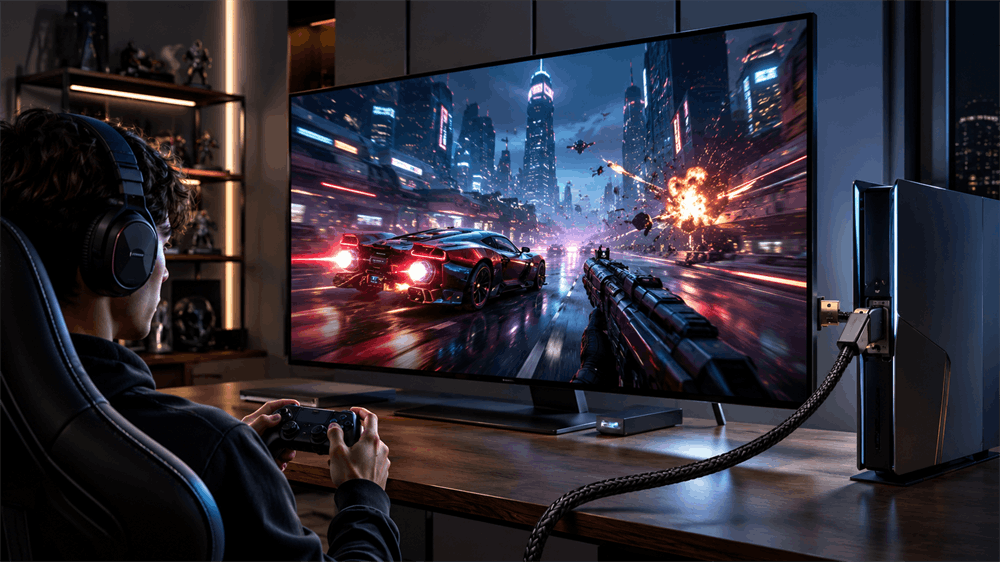
Quick Answer: What Does HDMI 2.2 Mean for Gaming?
HDMI 2.2 matters because it increases the maximum bandwidth of the HDMI ecosystem to 96Gbps, compared with the 48Gbps class used by HDMI 2.1. This extra bandwidth helps support higher resolutions, higher refresh rates, richer color formats, and future gaming experiences such as 4K 240Hz, 8K gaming, VR, AR, and advanced home theater setups. The HDMI Forum officially released HDMI Specification 2.2 in June 2025, with support for formats such as 4K240, 8K60, 12K120, and 16K60 depending on system configuration.
What Is the Biggest Upgrade in HDMI 2.2?
The biggest change is simple: bandwidth has doubled.
HDMI 2.1 introduced a major jump with up to 48Gbps bandwidth. HDMI 2.2 pushes the maximum bandwidth up to 96Gbps through next-generation Fixed Rate Link technology. HDMI also introduced the Ultra96 feature name and Ultra96 HDMI Cable certification to help users identify cables designed for 64Gbps, 80Gbps, or 96Gbps performance.
For gamers, the headline is not only “16K support.” The real value is headroom. A gaming signal is shaped by resolution, refresh rate, color depth, chroma format, HDR data, and synchronization features. When these requirements increase together, the data load rises sharply. A 4K 120Hz HDR signal already carries far more data than 1080p 60Hz. Future 4K 240Hz and 8K gaming displays will demand even more from the full connection chain.
Why HDMI Cables Affect Gaming Performance
A common misunderstanding is that “the screen displays an image” means “the system is running at full performance.” That is not always true.
A lower-spec or poor-quality HDMI cable may still produce a picture, but the system may silently reduce performance. It may limit refresh rate, reduce color output, disable certain HDR behavior, or become unstable under demanding modes. Typical symptoms include black screens, flickering, random signal loss, unavailable 120Hz settings, HDR errors, or a monitor that cannot reach its advertised refresh rate.
This is why many players feel their devices are not “running at full power.” The issue is not always the graphics card, console, or monitor. Sometimes the weak point is the HDMI cable, an older HDMI port, a low-quality adapter, or a long cable run with poor signal integrity.
HDMI 2.2 vs HDMI 2.1 for Current Gaming
For most current gamers, HDMI 2.1 remains the practical standard. PlayStation confirms that PS5 supports HDMI 2.1 and 4K 120Hz video output. Xbox support guidance also lists an Xbox Series X, an HDMI 2.1 compatible TV, and an Ultra High Speed HDMI cable as requirements for 4K gaming at 120Hz.
That means most PS5 and Xbox Series X users do not need to rush into HDMI 2.2. A certified Ultra High Speed HDMI cable rated for 48Gbps is usually the correct choice for 4K 120Hz gaming today.
HDMI 2.2 is better understood as the next step for future displays, GPUs, AV receivers, capture devices, and immersive gaming systems. It will not improve a 60Hz TV by itself. It also cannot unlock performance if the console, graphics card, monitor, or HDMI port does not support the required signal. Every part of the chain must match.
What About Latency?
HDMI 2.2 also introduces Latency Indication Protocol, or LIP. This feature is designed to improve audio and video synchronization, especially in multi-device systems that include an AV receiver or soundbar.
For gaming, this is useful in home theater setups where sound and picture must stay aligned. However, LIP should not be confused with a magic input-lag reduction feature. Gaming responsiveness still depends on display response time, game mode, frame rate, VRR, ALLM, QFT, GPU rendering, and device settings.
Should Gamers Upgrade to HDMI 2.2 Now?
For most players, the answer is no—not immediately.
If the setup is a PS5, Xbox Series X, or a 4K 120Hz TV, HDMI 2.1-class connectivity is generally enough. HDMI 2.2 becomes more relevant for users planning a high-end PC, 4K 240Hz monitor, 8K gaming display, premium AV receiver chain, or future VR/AR system.
It is also worth considering for long-term installations. If cables are being routed inside walls, behind entertainment cabinets, or across a gaming room, choosing a higher-quality cable path can reduce the cost and inconvenience of replacement later.
How to Choose the Right HDMI Cable for Gaming
First, match the cable to the real target output. For 4K 60Hz, many well-made HDMI 2.0-era cables are sufficient. For 4K 120Hz, choose a certified Ultra High Speed HDMI cable rated for 48Gbps. For future HDMI 2.2 maximum-bandwidth applications, look for Ultra96 HDMI Cable certification when compatible devices become available.
Second, avoid buying only by printed version numbers. Reliable HDMI performance depends on verified bandwidth, cable length, shielding, conductor quality, connector durability, and certification labeling.
For gaming users, VCOM HDMI cables are a practical choice when the priority is stable signal transmission, durable connectors, and clear specification matching. Instead of vague claims such as “gaming cable” or “8K cable,” users should choose a cable based on the resolution, refresh rate, bandwidth, and device requirements of the actual setup.
Final Thoughts
HDMI 2.2 shows where gaming is heading: higher resolution, higher refresh rates, richer HDR, more precise color, and more immersive visual systems. In the past, gaming performance discussions focused mainly on the GPU or console. That view is no longer complete.
If the signal cannot pass cleanly from the device to the display, the hardware cannot deliver its full visual potential. For today’s gamers, the smart approach is simple: choose a certified HDMI cable that matches the current setup, understand the bandwidth requirement, and plan for HDMI 2.2 when the rest of the equipment is ready to benefit from it.
FAQ
Is HDMI 2.2 necessary for PS5 or Xbox Series X?
No. For current 4K 120Hz console gaming, HDMI 2.1 and a certified Ultra High Speed HDMI cable are usually sufficient.
Can a poor HDMI cable cause a black screen or flicker?
Yes. Insufficient bandwidth, weak shielding, long cable runs, or poor connector quality can cause flickering, black screens, HDR issues, or refresh-rate limitations.
Is HDMI 2.2 backward compatible?
Yes. HDMI 2.2 is backward compatible with earlier HDMI specifications, but actual performance is limited by the lowest-spec device or cable in the connection chain.
Tag:HDMI 2.2


Related Products
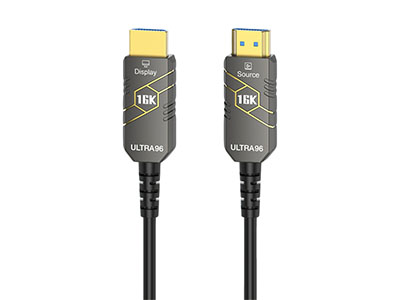 | |
| HDMI 2.2 Active Optical Cable | |
 |  |
