
Wireless display adapters were once viewed mainly as meeting-room accessories. Today, they are moving into living rooms, classrooms, gaming corners, home offices, and mobile workspaces. The reason is simple: users now own more screens and more source devices than ever before, but the connection experience has become more fragmented.
A modern user may switch between a laptop, smartphone, tablet, game console, projector, portable monitor, and smart TV in a single day. This creates several familiar problems: mismatched ports, limited HDMI cable length, messy desktops, missing USB-C video output, and slow setup before a presentation. A wireless display adapter solves these pain points by reducing the need for direct video cables and making screen sharing faster and more flexible.
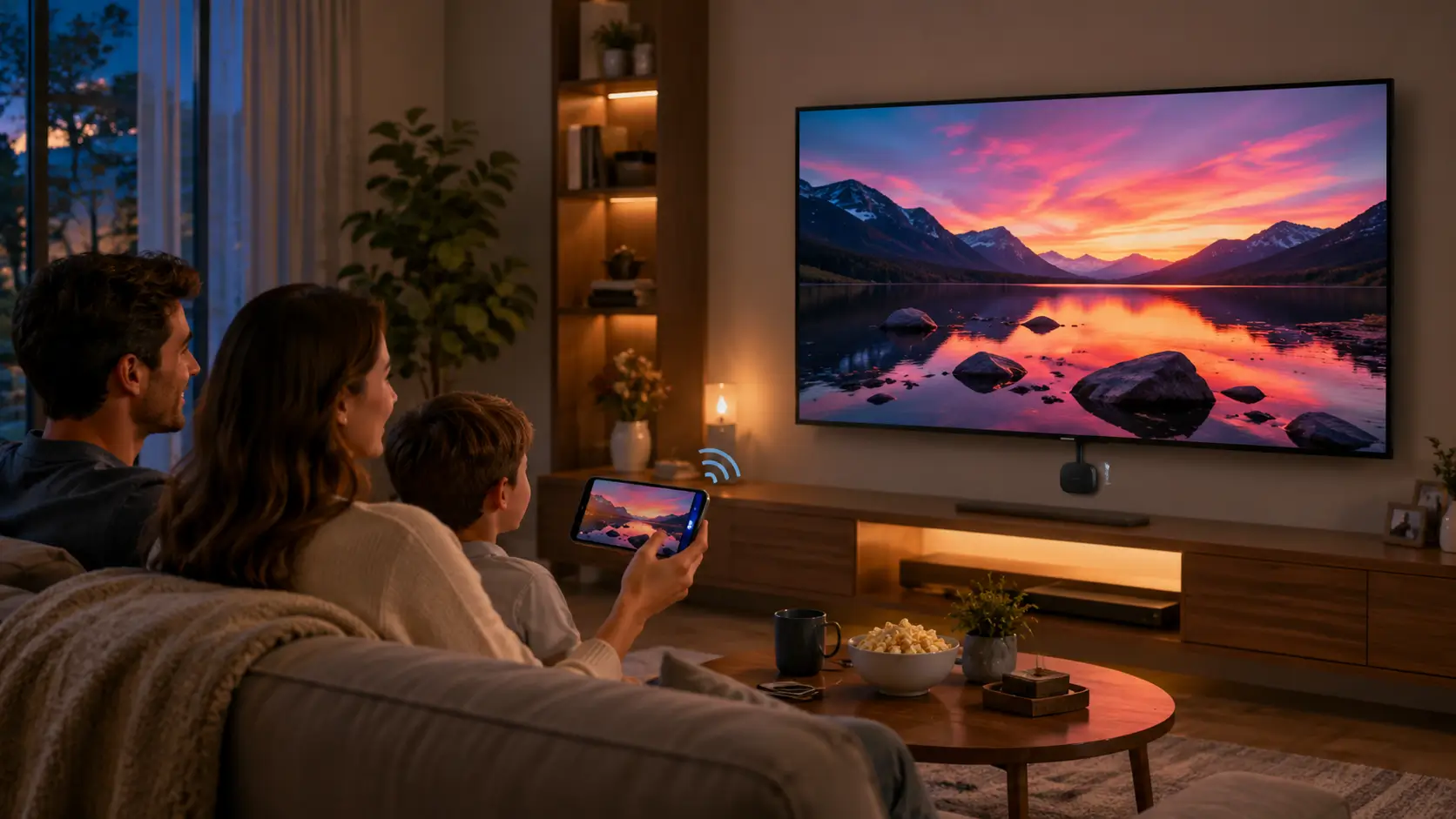
What Is a Wireless Display Adapter?
A wireless display adapter is a screen transmission device that sends video and audio from a source device to a display without a traditional video cable between them. In a typical setup, the transmitter connects to the laptop, phone, tablet, or media source, while the receiver connects to a TV, monitor, projector, or display panel.
Many modern wireless screen-casting devices are designed for plug-and-play operation. They can pair automatically, require no driver installation, and avoid complex network configuration. This is important because most consumers do not want to study protocols before sharing a screen. They simply expect the image to appear quickly and remain stable.
Technologies such as Miracast, AirPlay, Google Cast, wireless HDMI extension, Wi-Fi 6, and Wi-Fi 7 are all part of this broader wireless display ecosystem.
Why Wireless Screen Casting Is Becoming More Popular
The first driver is hybrid work. Employees no longer stay at one fixed desk. They may work in a conference room in the morning, a coworking space in the afternoon, and at home in the evening. If every screen connection requires an HDMI cable, USB-C adapter, docking station, or display setting adjustment, the experience becomes inefficient.
Wireless display adapters allow users to share a laptop screen faster during meetings. In multi-person discussions, the advantage becomes more obvious. Instead of unplugging one cable and passing it around, different presenters can switch more conveniently.
The second driver is mobile entertainment. Smartphones now carry streaming apps, short videos, photos, mobile games, and cloud content. However, a phone screen is still too small for group viewing. Wireless screen mirroring turns a TV into a larger entertainment display and allows users to enjoy phone content without searching for cables or adapters.
The third driver is education and training. Teachers, trainers, and presenters need to move around the room while showing slides, videos, documents, or live demonstrations. A wireless presentation device provides more freedom than a fixed HDMI cable, especially in classrooms and training rooms.
Gaming Is Also Pushing Wireless Display Demand
For years, gamers preferred wired connections because wireless video could introduce latency, compression, and unstable frame delivery. That concern is still valid for competitive FPS gaming, where HDMI or DisplayPort remains the safer choice. DisplayPort 2.1, for example, supports certified DP80 cables with up to 80 Gbps throughput for high-performance display setups.
However, not every gaming scenario requires esports-level latency. Wireless display adapters are increasingly practical for casual gaming, living-room controller games, cloud gaming, Steam streaming, Nintendo Switch-style display sharing, and mobile gaming on a larger screen. For these scenarios, convenience can be more valuable than absolute latency performance.
This is why wireless display adapters are no longer limited to offices. They now serve as flexible accessories for entertainment and light gaming environments.
Why Users Do Not Want to Go Back to Frequent Cable Plugging
The biggest appeal of wireless screen casting is not only the removal of one cable. It is the reduction of connection friction.
Traditional wired display setups often face several problems: HDMI cables are too short, display ports are occupied, the USB-C port does not support video output, adapters are misplaced, or the meeting table becomes filled with cables. These small problems add up and make the display connection feel unnecessarily complicated.
Wireless display adapters provide a closer “turn on and display” experience. For home entertainment, business meetings, teaching demonstrations, and temporary screen sharing, that improvement is immediately noticeable.
Will Wireless Display Adapters Replace HDMI Cables?
Not completely, at least not in the short term.
HDMI, DisplayPort, and USB-C video output still have clear advantages in professional and high-bandwidth applications. High-refresh-rate esports, 8K workflows, professional design, color-critical video production, and ultra-low-latency display output still benefit from wired standards. HDMI 2.2 has increased maximum bandwidth to 96 Gbps and introduced Latency Indication Protocol for improved audio-video synchronization, showing that wired display technology is still advancing aggressively.
The more realistic future is coexistence. Wired connections will remain the standard for performance-critical use. Wireless display adapters will become the preferred choice for daily sharing, mobile work, classroom use, home viewing, and casual entertainment.
What to Look for When Buying a Wireless Display Adapter
Consumers often focus first on specifications such as 4K support, Wi-Fi 6, Wi-Fi 7, frame rate, and latency. These are important, but the daily experience depends more on four practical factors.
First, connection stability matters more than theoretical speed. A device that disconnects frequently will not feel professional, even if the specification sheet looks impressive.
Second, compatibility is critical. A good wireless display adapter should work with common laptops, smartphones, tablets, monitors, TVs, and projectors.
Third, setup should be simple. Plug-and-play operation, automatic pairing, and driver-free design reduce user frustration.
Fourth, the adapter should match the scenario. A business presentation device should prioritize stable switching and portability. A home entertainment adapter should focus on video clarity and easy phone casting. A gaming-oriented solution should emphasize low latency and consistent transmission.
Where VCOM Wireless Display Solutions Fit
For users who need a practical wireless screen casting solution, VCOM wireless HDMI extender and screencast products are suitable for meeting rooms, classrooms, home entertainment, and mobile presentations. VCOM’s DD546 ScreenCast and DD543 wireless HDMI extender solutions are positioned for plug-and-play display extension, smartphone or tablet screen sharing, and flexible HDMI-based wireless transmission in everyday scenarios.
For offices, they help reduce meeting setup time. For homes, they simplify phone-to-TV entertainment. For education, they allow instructors to display content without being tied to a desk. For mobile workers, they provide a cleaner and more portable way to connect to external displays.
FAQ
Are wireless display adapters good for gaming?
They are suitable for casual gaming, cloud gaming, controller-based living-room games, and mobile games on a larger screen. Competitive esports players should still use HDMI or DisplayPort for the lowest latency.
Do wireless display adapters need Wi-Fi?
Some products use existing Wi-Fi networks, while others create a direct wireless link between transmitter and receiver. The exact setup depends on the device design.
Can a wireless display adapter replace an HDMI cable?
It can replace HDMI in many daily scenarios, such as presentations, home viewing, and temporary screen sharing. For high-refresh gaming, professional editing, and 8K workflows, wired HDMI or DisplayPort remains better.
What matters most when choosing one?
Stability, compatibility, simple setup, low disconnection rate, and real-world latency matter more than specifications alone.
Who should buy a wireless display adapter?
It is ideal for hybrid workers, teachers, presenters, families, students, and users who often switch between phones, laptops, tablets, TVs, monitors, and projectors.
Tag:Adapter


