
Screen sharing has become a daily requirement in meeting rooms, classrooms, training centers, home theaters, and mobile offices. Traditional HDMI cables remain reliable, but they also bring limitations: fixed cable length, messy installation, restricted movement, and inconvenient setup when different users need to present from different devices. This is where the VCOM DD543 ScreenCast screen extender becomes practical.
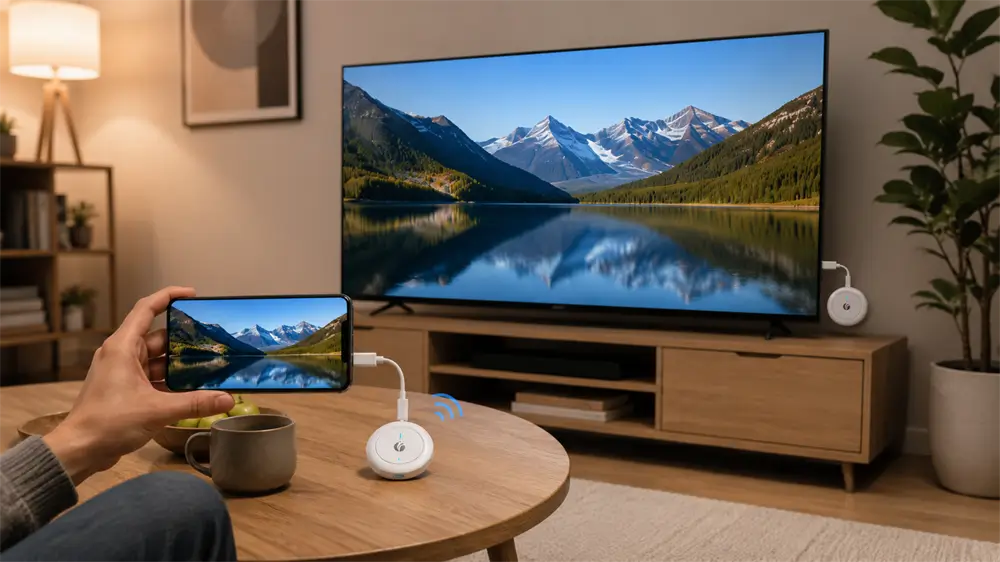
The VCOM DD543 is designed to transmit video and audio wirelessly from a phone, tablet, laptop, or PC to a larger HDMI display. Its most important feature is that it does not need a Wi-Fi router or internet connection. Instead, the transmitter and receiver build a direct wireless communication link, similar to two walkie-talkies talking to each other without using a central base station.
What Is the VCOM DD543 Screen Extender?
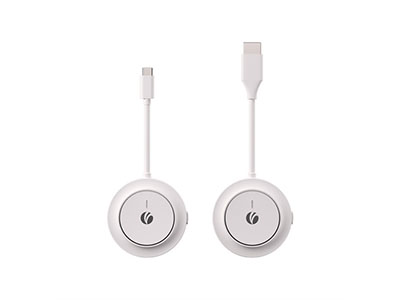
The VCOM DD543 is a compact wireless HDMI screen extender consisting of two parts: a transmitter and a receiver. The transmitter connects to the source device through USB-C and includes a USB-C female port for PD fast-charging passthrough. The receiver connects directly to a TV, monitor, or projector through HDMI and requires USB-C 5V power input.
In practical use, the transmitter captures the video signal from the source device, processes it, and sends it wirelessly to the receiver. The receiver then outputs the signal through HDMI to the display. This makes the DD543 suitable for business presentations, multimedia education, home entertainment, creative reviews, and portable workstation expansion.
A key compatibility point should not be ignored: the source device’s USB-C port must support video output. Some USB-C ports only support charging or data transfer. If the USB-C port does not support video output, the screen extender cannot receive a display signal from the host device.
The Core Work Principle: Capture, Encode, Transmit, Decode, Display
The working process of the VCOM DD543 can be understood in five stages.
First, the host device outputs video and audio through its USB-C interface. Second, the DD543 transmitter receives this audiovisual signal and prepares it for wireless transmission. Third, the transmitter compresses the signal using efficient video encoding formats such as H.264, H.265/HEVC, or VP9. Fourth, the encoded signal is transmitted over a direct 5GHz wireless channel to the receiver. Finally, the receiver decodes the signal and outputs it through HDMI to the connected display.
This design is different from conventional screen casting systems that depend on a router. In a typical Wi-Fi casting environment, the phone or computer sends data through a router, and the display device receives that data from the same network. The DD543 avoids that middle layer. The transmitter and receiver communicate directly, reducing setup complexity and allowing screen casting in locations where Wi-Fi is unavailable, unstable, or restricted.
Why 5GHz Wireless Matters
The DD543 uses 5GHz Wi-Fi technology, specifically 802.11ac. In this context, “5G Wi-Fi” refers to the 5GHz wireless frequency band, not cellular 5G mobile networks. For screen extension, 5GHz is a practical choice because it provides higher bandwidth than the older 2.4GHz band and is better suited for high-resolution video transmission.
Routers, Bluetooth devices, keyboards, mice, smart home devices, and other common electronics often crowd the 2.4GHz band. By using 5GHz, the DD543 can achieve a cleaner and faster wireless path in many real-world environments. This helps maintain smoother video playback and more stable display performance.
However, 5GHz also has a physical limitation: its wall penetration is weaker than 2.4GHz. For the best experience, the transmitter and receiver should be placed in the same room or in a line-of-sight position whenever possible. Open areas deliver the strongest performance, while walls, metal furniture, and dense wireless interference can reduce range and stability.
Why Encoding Is Necessary for Wireless Video
Raw high-resolution video requires a very large amount of bandwidth. Sending uncompressed 4K video wirelessly would be inefficient for a compact portable device. This is why video encoding is central to the DD543’s work principle.
The transmitter compresses the video stream before wireless transmission. H.264 offers broad compatibility and reliable compression. H.265/HEVC improves compression efficiency, helping preserve image quality at a lower bitrate. VP9 is another efficient codec used for high-quality streaming applications. After the receiver obtains the compressed stream, it decodes the signal and sends it to the display through HDMI.
Audio is also processed alongside video. The DD543 supports common audio formats such as AAC, MP3, and PCM, allowing synchronized sound output for videos, presentations, online courses, and media playback.
HDMI 1.4 and 4K30 Output
On the display side, the DD543 receiver uses HDMI 1.4 and supports output up to 3840×2160 at 30Hz. This resolution level is well-suited for presentation slides, documents, training videos, classroom materials, photo sharing, and home movie playback.
For most office and education scenarios, 4K30 provides a clear and professional visual experience. It should also be understood correctly: 4K30 is not the same use case as 4K120 competitive gaming. Users focused on ultra-high-refresh gaming should choose wired HDMI 2.1 or DisplayPort solutions. For wireless presentation and flexible screen extension, however, 4K30 is a balanced and practical specification.
Duplicate Mode and Extension Mode
The VCOM DD543 supports both replication mode and extension mode. Replication mode mirrors the same image from the host device to the external display. This is ideal for business presentations, classroom teaching, sales demonstrations, training sessions, and home video sharing.
Extension mode turns the external display into a second workspace. This is useful for multitasking, document comparison, remote work, design review, spreadsheet handling, and project discussions. For professionals who need a larger visual workspace without having to carry cables, extension mode offers a noticeable productivity advantage.
Power Design: Receiver Power and PD3.0 Passthrough
Wireless display stability depends not only on signal quality but also on power stability. The DD543 receiver requires DC 5V/2A power input through USB-C. A stable power supply helps maintain consistent wireless receiving and HDMI output.
The transmitter supports PD3.0 fast-charging passthrough up to 100W. This is especially useful for laptops, tablets, and mobile devices during long meetings or training sessions. Instead of choosing between charging and screen casting, users can keep the host device powered while projecting content wirelessly. For best results, a reliable PD charger and a qualified USB-C cable should be used.
Flexible Communication for More Scenarios
Another advantage of the DD543 is its flexible communication combination. It can support one transmitter with up to five receivers, or one receiver with up to five transmitters. This is valuable in meeting rooms, classrooms, exhibition areas, and training environments where content may need to be shared across multiple screens or switched between multiple presenters.
Tag:Screen Extender


Related Products
 | |
| 4K Wireless HDMI Extender | |
 |  |