
With the rapid development of AI applications, remote workstations, cloud computing, and GPU-based tasks, more and more computers are running without a traditional monitor. A mini PC hidden behind a desk, an AI workstation running 24/7, or a powerful GPU computer controlled remotely may not need a physical display in daily operation.
However, many users discover an unexpected problem: when no monitor is connected, the computer may not work properly.
Typical symptoms include:
Remote desktop shows a black screen
Resolution becomes very low
GPU acceleration does not work correctly
AI tools or rendering software fail to start
The system cannot recognize a proper display environment
Why does this happen?
The reason is that many computers, especially those equipped with dedicated graphics cards, still rely on display detection signals to initialize graphics output. Without a connected monitor, the system may enter a limited display mode.
This is where an HDMI Dummy Plug becomes useful.
A small device inserted into the HDMI port can make the computer believe that a real monitor is connected, creating a stable virtual display environment without requiring an actual screen.
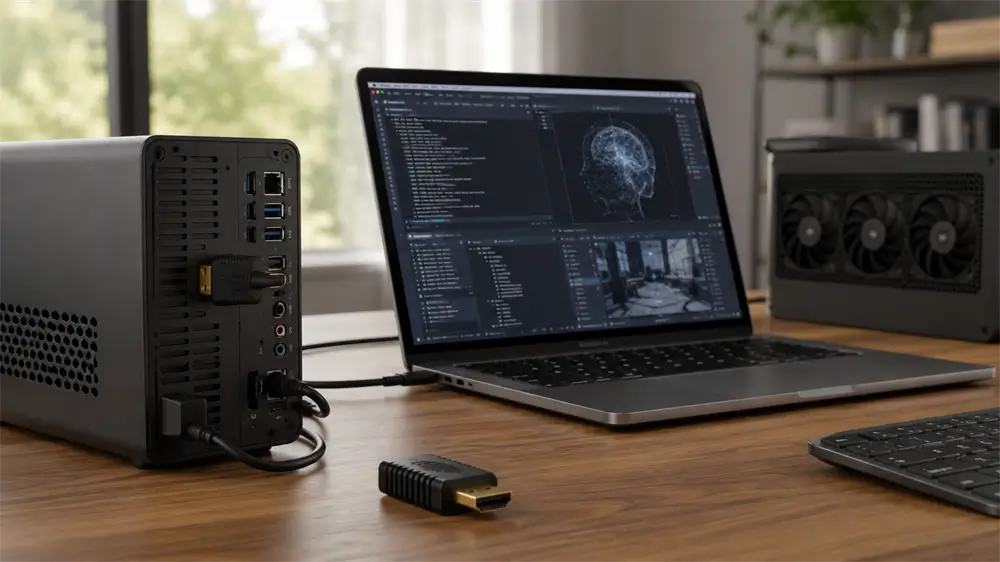
What Is an HDMI Dummy Plug?
An HDMI Dummy Plug, also known as an HDMI Display Emulator or Virtual Monitor Adapter, is a compact device that simulates the presence of a physical display.
Unlike a normal HDMI cable, an HDMI Dummy Plug does not transmit images to a monitor. Instead, it stores display information and communicates with the computer through the HDMI interface.
When connected, the computer detects it as a real display device and automatically creates a virtual screen.
The technology behind this process is called EDID (Extended Display Identification Data).
A real monitor normally sends EDID information to the graphics card, including:
Supported resolutions
Refresh rates
Color formats
Display capabilities
The graphics card uses this information to determine how to output video.
An HDMI Dummy Plug provides similar information, allowing the computer to maintain normal graphics output even when no physical display exists.
Why Does a Computer Need an HDMI Dummy Plug?
One of the most common reasons users purchase HDMI Dummy Plugs is remote computer access.
Many people now operate computers remotely through:
Windows Remote Desktop
AnyDesk
TeamViewer
Parsec
Chrome Remote Desktop
However, some systems behave differently when no monitor is detected.
Without a display signal, users may encounter:
Black screen after remote connection
Incorrect resolution
Missing GPU acceleration
Unstable remote sessions
An HDMI Dummy Plug keeps the system’s display output active, allowing remote software to capture a normal desktop environment.
For remote workers, developers, and IT administrators, this means a smoother and more reliable remote operation experience.
HDMI Dummy Plug and AI Computers: Why Are They Becoming Popular?
The popularity of AI applications has created a new demand for headless computers.
Many users now build dedicated AI machines for:
Running local AI models
AI agents
Automated workflows
Image generation
Video processing
Machine learning experiments
These computers often operate without a permanent monitor because they are controlled remotely.
However, GPUs used for AI computing are designed around a display-connected environment. Some systems may reduce graphics functionality or fail to initialize certain applications when no display is detected.
An HDMI Dummy Plug provides a simple solution by creating a virtual monitor.
This allows AI workstations to:
Maintain stable GPU recognition
Keep consistent display settings
Support remote operation
Avoid unnecessary monitor installation
For AI enthusiasts building compact computing systems, an HDMI Dummy Plug is becoming an essential accessory.
How Does an HDMI Dummy Plug Work?
The working process is simple:
Step 1: Connect the HDMI Dummy Plug
Insert the device into the HDMI output port of:
Desktop PC
Graphics card
Mini PC
Workstation
Server
Step 2: The Computer Detects a Display
The HDMI interface communicates with the device and receives EDID information.
The system believes a monitor is connected.
Step 3: A Virtual Display Is Created
The operating system enables display output and provides normal resolution options.
Users can then access the computer remotely or run GPU applications normally.
The entire process usually requires no driver installation.
Choosing the Right HDMI Dummy Plug
Not all HDMI Dummy Plugs provide the same performance. Several factors should be considered.
Resolution Support
Different applications require different virtual display resolutions.
Basic models may support:
1080P
Advanced models support:
2K
4K
For professional workflows, 4K support provides more flexibility.
Refresh Rate
Refresh rate affects display smoothness.
For general remote desktop use:
60Hz is usually sufficient
For gaming or advanced applications:
Higher refresh rates may be preferred
Compatibility
A good HDMI Dummy Plug should support common platforms:
Windows
macOS
Linux
It should also work with:
NVIDIA GPUs
AMD GPUs
Intel graphics
Mini PCs
Workstations
Stability and Build Quality
Because HDMI Dummy Plugs are often connected for long periods, reliability matters.
A quality product should provide:
Stable EDID communication
Durable HDMI connector
Compact design
Low power consumption
Why Choose VCOM HDMI Dummy Plug?
For users looking for a reliable virtual display solution, VCOM HDMI Dummy Plug provides an effective option for modern computing environments.
Designed for applications such as remote desktop, AI computers, GPU workstations, and headless systems, VCOM HDMI Dummy Plug helps computers maintain a stable virtual display connection.
Key advantages include:
4K Virtual Display Support
VCOM HDMI Dummy Plug supports high-resolution virtual display output, making it suitable for professional remote computing scenarios.
Plug-and-Play Operation
No complicated installation process is required. Simply connect the HDMI Dummy Plug and allow the computer to detect the virtual display.
Compact and Portable Design
The small form factor makes it easy to install behind desktops, mini PCs, and workstations without occupying additional space.
Wide Compatibility
It can be used with various devices, including:
Desktop computers
Graphics cards
Mini PCs
Remote workstations
AI computing systems
For users building modern headless computing environments, VCOM HDMI Dummy Plug offers a practical way to maintain stable display recognition without purchasing an additional monitor.
Frequently Asked Questions About HDMI Dummy Plug
Does an HDMI Dummy Plug display images?
No. An HDMI Dummy Plug does not contain a screen. It only simulates a monitor connection by providing display information to the computer.
Can an HDMI Dummy Plug improve GPU performance?
It does not increase GPU hardware performance. However, it can help the GPU operate normally by providing a detected display environment.
Does an HDMI Dummy Plug need drivers?
Most HDMI Dummy Plugs work through standard HDMI communication and do not require additional drivers.
Can I use an HDMI Dummy Plug with a laptop?
It depends on the laptop’s HDMI output capability. HDMI Dummy Plugs are mainly designed for computers with HDMI output ports, such as desktops, GPUs, and mini PCs.
Tag:HDMI Dummy Plug