
Ethernet cable categories have steadily evolved to support faster networks, higher frequencies, and more demanding connected equipment. Cat 8 currently sits at the top of the standardized twisted-pair copper cabling range, offering performance that exceeds the requirements of most homes and offices.
However, the fastest cable is not automatically the best cable for every installation. Cat 8 was developed primarily for short, high-speed connections in data centers. Understanding its real capabilities, limitations, and ideal applications can prevent unnecessary spending and help buyers select the right network cable.
What Is a Cat 8 Ethernet Cable?
Category 8, commonly called Cat 8, is a shielded twisted-pair Ethernet cable standardized for high-speed 25GBASE-T and 40GBASE-T networking. It supports transmission frequencies of up to 2000MHz—four times the 500MHz bandwidth commonly associated with Cat 6a.
Under the applicable cabling standards, Cat 8 can support data rates of up to 40Gbps over a maximum 30-meter channel. This channel generally includes up to 24 meters of permanent cabling and additional patch cords at each end.
Unlike Cat 5e, Cat 6, and many Cat 6a cables, Cat 8 must use shielding. This protection helps control electromagnetic interference, alien crosstalk, and signal degradation at extremely high frequencies.
Cat 8 cables can use the familiar 8P8C modular connector commonly described as RJ45, making them physically compatible with many existing Ethernet ports. They are also backward compatible with lower Ethernet standards, although the connected devices will operate only at the highest speed supported by the entire network.
How Fast Is Cat 8?
Cat 8 supports theoretical Ethernet data rates of 25Gbps and 40Gbps in standardized short-distance installations. This makes it significantly faster than Cat 6 and Cat 6a cabling, which are commonly deployed for 1Gbps, 2.5Gbps, 5Gbps, or 10Gbps networks.
Cable Category | Maximum Frequency | Typical Maximum Data Rate | Maximum Distance at Top Standardized Speed |
Cat 6 | 250MHz | 10Gbps | Approximately 55 meters |
Cat 6a | 500MHz | 10Gbps | 100 meters |
Cat 7* | 600MHz | 10Gbps | 100 meters |
Cat 8 | 2000MHz | 25/40Gbps | 30-meter channel |
*Cat 7 is recognized under ISO/IEC standards but is not an ANSI/TIA cabling category.
The 40Gbps rating does not mean that every device connected with a Cat 8 cable will transfer data at 40Gbps. A network link always negotiates according to the capabilities of its slowest component.
Will Cat 8 Make Home Internet Faster?
Replacing an existing Ethernet cable with Cat 8 will not increase the speed provided by an internet service provider. If a broadband plan delivers 1Gbps and the router has 1GbE ports, a Cat 8 cable will still carry only up to the negotiated 1Gbps connection.
Real network performance can be limited by:
Internet plan speed
Router and switch port capabilities
Computer network interface
Server or storage performance
Cable length and installation quality
Network congestion and protocol overhead
For a conventional Gigabit home network, a correctly installed Cat 5e, Cat 6, or Cat 6a cable can already provide the required bandwidth. Cat 8 becomes more relevant when the connected equipment supports multi-gigabit Ethernet or when additional shielding and future-ready cabling are valuable.
Is Cat 8 Better for Gaming?
Cat 8 can provide a stable wired connection, but it does not automatically reduce online gaming latency compared with a properly functioning Cat 6 or Cat 6a cable.
Game traffic generally requires far less than 1Gbps. Ping is more heavily affected by the internet service provider, routing distance, server location, congestion, Wi-Fi interference, and local network activity.
A Cat 8 cable may still be useful for a gaming setup when the installation is exposed to electrical interference, when large local files are frequently transferred, or when the same workstation connects to a high-speed NAS. For ordinary online gaming, however, buying Cat 8 solely to reduce ping is unlikely to produce a noticeable difference.
Cat 8 vs Cat 6a: Which One Should You Buy?
Cat 6a remains the practical choice for most structured residential, office, and commercial installations. It supports 10Gbps over a full 100-meter channel and is generally easier to terminate and manage.
Cat 8 is better suited to short, extremely high-bandwidth links where 25GbE or 40GbE equipment is being used. Its strong shielding can also be valuable near power cables, industrial machinery, server racks, and other sources of electromagnetic interference.
Choose Cat 6a when installing long permanent cable runs, building a conventional 10GbE network, or balancing performance with cost. Choose Cat 8 when connecting high-performance equipment over short distances, preparing for faster network hardware, or prioritizing shielding in a difficult installation environment.
Where Does Cat 8 Make the Most Sense?
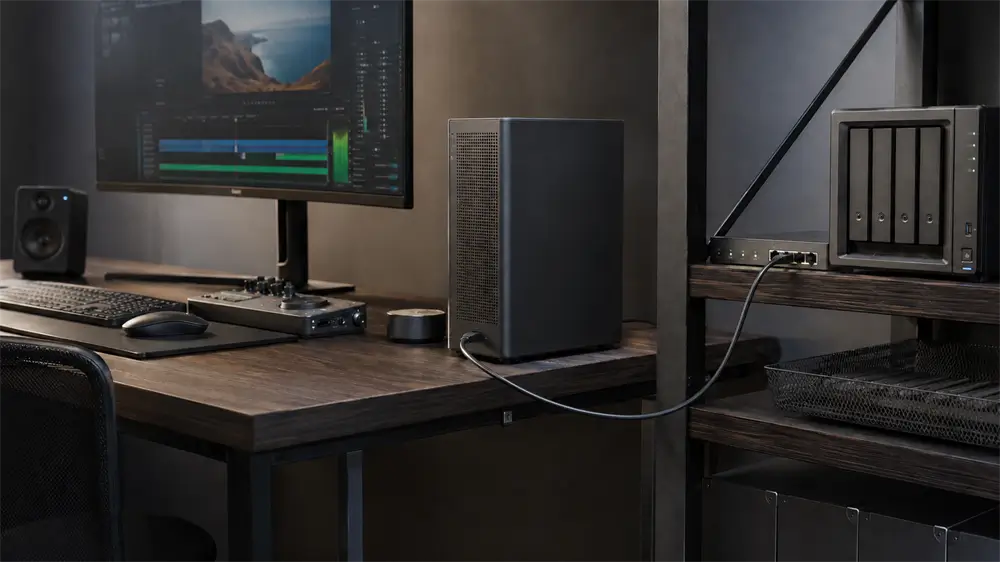
Cat 8 was designed primarily for data center switch-to-server connections. It can also serve several demanding applications outside the data center, including high-performance workstations, professional editing environments, local storage systems, network laboratories, and enterprise equipment rooms.
It may be appropriate for:
Short 25GbE or 40GbE links
Servers and high-speed switches
Workstations connected to fast network storage
High-interference commercial environments
Compact installations requiring reliable shielded patch cables
The 30-meter channel limitation makes Cat 8 less suitable for long horizontal building cabling. Fiber optic cabling is often preferred when very high speeds must be maintained across longer distances.
A Practical Cat 8 Option: VCOM NP833F
For users who genuinely need a short, shielded, high-bandwidth connection, the VCOM NP833F Cat 8 Flat Ethernet Patch Cable offers a practical alternative to bulky round patch cords.
Its flat construction helps the cable pass along walls, under carpets, behind desks, and through tight equipment spaces. This design can be particularly useful in home offices, gaming rooms, server cabinets, and commercial installations where cable management matters.
The NP833F uses S/FTP shielding, combining overall braided shielding with individually foil-shielded twisted pairs. This structure helps reduce external electromagnetic interference and internal crosstalk. According to the product specifications, it supports transmission frequencies up to 2000MHz and data rates up to 40Gbps under compatible conditions.
The cable is therefore best positioned as a premium short-distance link for high-performance network equipment—not as a universal solution that can overcome slow broadband or outdated network ports.
What to Check Before Buying Cat 8
Before purchasing a Cat 8 Ethernet cable, check whether the connected router, switch, server, NAS, or workstation supports speeds above 10Gbps. Also confirm the required cable length and whether the installation could benefit from additional shielding.
Build quality is just as important as the printed category. Look for clearly stated conductor materials, shielding construction, connector quality, bandwidth, supported length, and compliance information. Extremely cheap cables making unsupported 40Gbps claims may not deliver genuine Category 8 performance.
Shielded cabling should also be used as part of a properly designed system. Although a shielded patch cable can help in many environments, effective grounding and compatible network components remain important in professional installations.
Frequently Asked Questions
Is Cat 8 backward compatible?
Yes. Cat 8 cables can connect to common RJ45-style Ethernet ports and operate with lower network standards. The connection will run at the maximum speed supported by the slowest connected component.
Can Cat 8 carry Power over Ethernet?
Cat 8 cabling can support Power over Ethernet when the cable, connectors, power-sourcing equipment, and powered device meet the relevant requirements.
Is Cat 8 worth buying for a 1Gbps network?
Usually not for speed alone. A Cat 6 or Cat 6a cable can already handle a 1Gbps connection. Cat 8 may still be selected for stronger shielding, compact patching, or planned future equipment upgrades.
Does Cat 8 improve Wi-Fi?
No. Cat 8 is a wired Ethernet cable. It may improve the wired backhaul between compatible network devices, but it cannot directly increase the wireless capabilities of a router or client device.
Tag:Ethernet Cable