
A modern TV can produce a beautiful 4K or 8K picture, but its built-in speakers rarely deliver the same level of performance. That is where HDMI eARC becomes important. For soundbars, AV receivers, Dolby Atmos systems, and high-end home theater setups, the HDMI eARC connection is often the cleanest way to move high-quality audio from a TV to an external sound system.
The phrase “HDMI eARC cable” is widely used by shoppers, but technically, eARC is not a special cable type. eARC stands for Enhanced Audio Return Channel, and it is a feature built into compatible HDMI ports on TVs, soundbars, and AV receivers. The cable still matters, but the connected devices must also support eARC.
For best results, most modern home theater installations should use a certified Ultra High Speed HDMI Cable, especially when the same setup also involves 4K/120Hz gaming, Dolby Atmos, DTS:X, VRR, HDR, or future upgrades. Ultra High Speed HDMI Cable supports up to 48Gbps and is designed for HDMI 2.1a features, including uncompressed 8K@60 and 4K@120.
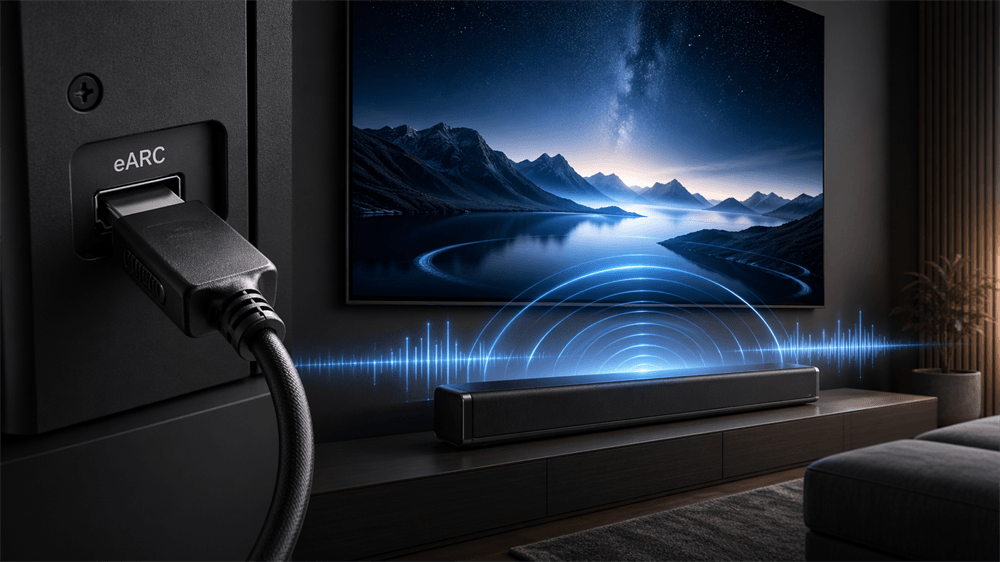
What is HDMI eARC?
HDMI eARC, or Enhanced Audio Return Channel, is the upgraded version of HDMI ARC. It allows audio to travel “back” from a TV to a soundbar or AV receiver through an HDMI cable.
In a typical setup, a TV receives sound from built-in streaming apps, a gaming console, a Blu-ray player, a cable box, or another HDMI source. With eARC, that audio can be sent from the TV to a soundbar or receiver using a single HDMI connection.
The major advantage is bandwidth. HDMI Licensing says eARC supports high-bitrate audio formats up to 192kHz, 24-bit, including uncompressed 5.1 and 7.1, 32-channel uncompressed audio, DTS-HD Master Audio, DTS:X, Dolby TrueHD, and Dolby Atmos.
That makes eARC especially valuable for premium soundbars and full surround systems where audio quality matters as much as picture quality.
HDMI ARC vs eARC: What Is the Difference?
HDMI ARC and HDMI eARC look similar because both use HDMI connections to return audio from a TV to an external audio device. The difference is performance.
Feature | HDMI ARC | HDMI eARC |
Full name | Audio Return Channel | Enhanced Audio Return Channel |
Typical use | Basic TV-to-soundbar audio | High-quality TV-to-soundbar or TV-to-AVR audio |
Best for | Stereo, compressed 5.1, basic soundbars | Dolby Atmos, DTS:X, lossless surround, premium systems |
Bandwidth | Lower | Much higher |
Audio format support | More limited | Supports high-bitrate formats |
Setup reliability | Can vary by device | Usually more robust when properly configured |
Sony describes eARC as an improvement over ARC with higher data transfer bandwidth and speed, up to 37 Mbps, and support for high-bitrate formats such as uncompressed 5.1/7.1, Dolby Atmos, DTS:X, DTS-HD Master Audio, and Dolby TrueHD.
ARC Is Still Useful
HDMI ARC is not obsolete for every user. It works well for many basic soundbars, stereo systems, and compressed surround formats. For casual TV watching, news, sports, and standard streaming audio, ARC may be enough.
eARC Is the Better Choice for Modern Home Theater
For Dolby Atmos, DTS:X, Blu-ray-quality audio, and full AV receiver systems, eARC is the stronger choice. It provides the audio bandwidth needed for lossless and high-bitrate formats that older ARC connections may not handle reliably.
HDMI eARC Cable for Dolby Atmos
Dolby Atmos is one of the biggest reasons buyers search for an HDMI eARC cable. The key point is that Dolby Atmos can be delivered in different ways.
Streaming services often use Dolby Atmos with compressed audio formats such as Dolby Digital Plus. Blu-ray and Ultra HD Blu-ray discs can use Dolby Atmos metadata with Dolby TrueHD, which requires more bandwidth. eARC is valuable because it can support Dolby TrueHD and other high-bitrate formats that ARC may not fully support. HDMI Licensing lists Dolby Atmos and Dolby TrueHD among the audio formats supported by eARC.
For a true high-quality Atmos setup, the complete chain matters:
The content must include Dolby Atmos.
The TV or source device must support Atmos output.
The soundbar or AV receiver must support Atmos decoding.
The HDMI port must support eARC when lossless audio return is required.
The HDMI cable must be reliable enough for the signal path.
A cable alone cannot create Dolby Atmos. It can only carry the signal when the rest of the system supports it.
How to Connect an HDMI eARC Cable Correctly
A correct setup is just as important as buying the right cable.
1. Find the Correct HDMI Port
Look for a port labeled:
HDMI eARC
HDMI ARC/eARC
HDMI OUT eARC/ARC
TV eARC
Not every HDMI port on a TV supports eARC. Usually, only one HDMI port is assigned to ARC or eARC.
2. Connect the TV eARC to the Soundbar or AVR eARC
Connect the TV’s HDMI eARC port to the soundbar or AV receiver’s HDMI eARC/ARC port.
For many systems, this single cable is enough to send TV audio to the sound system.
3. Enable eARC in TV Settings
Many TVs require eARC to be enabled manually. Depending on the brand, the settings may use terms such as:
eARC Mode
HDMI-CEC
Anynet+
Bravia Sync
Simplink
HDMI Control
Digital Audio Output
Passthrough
Bitstream
HDMI-CEC is often required for ARC/eARC control functions, although menu names vary by manufacturer.
4. Set Audio Output to Passthrough or Bitstream
For Dolby Atmos, DTS:X, Dolby TrueHD, and DTS-HD Master Audio, the TV may need to pass audio through without converting it to basic PCM stereo.
Recommended settings often include:
Digital Audio Output: Passthrough
HDMI Audio Format: Bitstream
eARC: On
TV Speakers: External Audio System
5. Confirm the Audio Format
A proper test should use known Dolby Atmos, DTS:X, Dolby TrueHD, or DTS-HD Master Audio content. The soundbar or receiver display should show the active format. If the display shows only PCM, stereo, or Dolby Digital, the system may not be passing the intended audio format.
FAQ: HDMI eARC Cable
Does eARC need a special HDMI cable?
eARC does not require a cable officially named “eARC cable.” It requires compatible eARC ports and a reliable HDMI cable. For a new setup, a certified Ultra High Speed HDMI Cable is the safest choice.
Can a regular HDMI cable support eARC?
Some High Speed HDMI Cables with Ethernet can support eARC, depending on the devices and cable quality. Sony recommends a High-Speed HDMI Cable with Ethernet for eARC transfer.
Is Ultra High Speed HDMI necessary for Dolby Atmos?
Not always. Some Dolby Atmos streams can work over ARC using compressed audio. However, eARC is preferred for high-bitrate and lossless formats such as Dolby TrueHD, and Ultra High Speed HDMI is the best new cable recommendation for a modern setup.
Does eARC improve picture quality?
No. eARC is an audio return feature. It does not directly improve picture quality. However, using a high-quality Ultra High Speed HDMI Cable can also support demanding video features such as 4K/120Hz and 8K/60 when connected through compatible devices.
Can eARC work with an ARC soundbar?
Yes, but only at the ARC-level capability. If one device supports only ARC, the connection cannot deliver full eARC performance.
What is the best HDMI cable for a soundbar?
For most soundbars, a certified Ultra High Speed HDMI Cable is the best choice. For simpler 4K60 systems, a certified Premium High Speed HDMI Cable may also be suitable.
Why is there no sound from the HDMI eARC port?
The most common causes are using the wrong HDMI port, disabled HDMI-CEC, disabled eARC, incorrect TV audio output settings, outdated firmware, or a faulty cable.
Is HDMI eARC better than optical audio?
Yes, for modern home theater audio. HDMI eARC supports high-bitrate formats that optical audio cannot carry, including Dolby TrueHD, DTS-HD Master Audio, DTS:X, and advanced Dolby Atmos configurations. HDMI Licensing lists these high-bitrate formats among eARC-supported formats.
Tag:HDMI,CABLE


