
HDMI has become the standard connection for TVs, monitors, projectors, gaming consoles, laptops, media players, and conference room displays. It carries high-definition video and digital audio through a single interface, making it simple and reliable for everyday AV setups. However, a normal HDMI cable is not always enough. Once the display is far from the source device, or when cables need to pass through walls, ceilings, classrooms, retail spaces, or meeting rooms, signal loss and installation difficulty quickly become real problems.
This is where an HDMI extender becomes valuable. It allows users to send HDMI audio and video over a longer distance through Ethernet cable, optical fiber, IP network, or wireless transmission. For homes, offices, education spaces, and professional AV projects, the right HDMI extender creates a cleaner, more flexible, and more stable display system.
What Is an HDMI Extender?
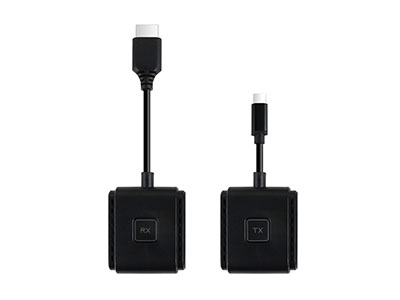
An HDMI extender is a device that extends HDMI signals beyond the practical distance of a standard HDMI cable. Most HDMI extenders use two parts: a transmitter and a receiver. The transmitter connects to the source device, such as a laptop, PC, Blu-ray player, game console, or media box. The receiver connects to the display, such as a TV, monitor, projector, or LED screen.
The signal is converted for long-distance transmission, then restored to HDMI output at the display end. Depending on the model, the extender may use Cat5e/Cat6 cable, fiber optic cable, LAN infrastructure, or wireless transmission.
HDMI standards continue to evolve. Ultra High Speed HDMI cables support up to 48Gbps bandwidth for HDMI 2.1a features such as 4K, 8K, HDR, VRR, and eARC, while HDMI 2.2 introduces Ultra96 HDMI Cable support up to 96Gbps for higher resolutions and refresh rates. For an extender, this means the transmission device, cable, source, and display must all match the target resolution and refresh rate.
How Does an HDMI Extender Work?
An HDMI extender works by separating the HDMI transmission path into three stages.
First, the transmitter receives HDMI output from the source device. It processes the signal and prepares it for the selected transmission medium.
Second, the signal travels through the chosen path. In a wired system, this may be Cat6 cable, fiber cable, or an IP network. In a wireless system, the transmitter and receiver create a direct wireless video link.
Third, the receiver converts the signal back into HDMI output and sends it to the display. A well-designed extender should preserve video clarity, audio synchronization, and signal stability throughout the process.
Main Types of HDMI Extenders
HDMI over Cat5e/Cat6 Extender
An HDMI over Cat cable extender is one of the most common choices for fixed installations. It uses an Ethernet-style cable to transmit HDMI signals over longer distances than a typical HDMI cable. This makes it useful for meeting rooms, classrooms, churches, hotels, retail stores, and digital signage.
Professional AV systems often use HDBaseT technology. HDBaseT is designed for long-distance distribution of UHD audio and video, Ethernet, USB, control signals, and power over standard Category cable with zero latency. The HDBaseT Alliance describes it as a professional AV standard capable of long-distance multimedia distribution over a single Category cable.
Wireless HDMI Extender
A wireless HDMI extender is ideal when cable installation is inconvenient, temporary, or visually undesirable. It is especially suitable for business presentations, teaching environments, home entertainment, temporary exhibitions, and rental meeting rooms.
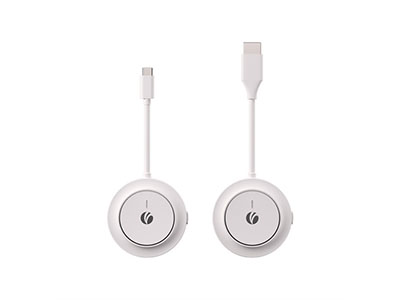
For this type of application, VCOM DD543 ScreenCast is a practical recommendation. It turns an HDMI display into a wireless screen without requiring a router, external hotspot, app, or driver installation. It supports mirror and extend modes for laptops, PCs, tablets, and phones, making it suitable for presentations, teaching, streaming, and everyday screen sharing.
VCOM DD543 uses built-in 5G WiFi 802.11ac to create a direct wireless link, supports up to 4K@30Hz video, and offers a wireless range up to 100ft/30m in open environments or around 50ft/15m with walls or interference. It also supports USB-C PD 3.0 charging up to 100W, allowing users to charge while casting during long meetings or classes.
HDMI over IP Extender
HDMI over IP extenders transmit HDMI signals through network infrastructure. They are suitable for larger systems where one source may need to display content on multiple screens. Common applications include digital signage, control rooms, shopping malls, hotels, airports, and corporate campuses.
The main advantage is scalability. A network-based AV system can support one-to-one, one-to-many, or matrix-style signal distribution, depending on the network design and extender capability.
Fiber HDMI Extender
Fiber HDMI extenders are designed for very long-distance transmission and environments with high electromagnetic interference. They are often used in medical imaging, broadcasting, factories, transportation control rooms, and high-end professional AV projects. Fiber transmission is lightweight, stable, and resistant to electrical noise, making it suitable for demanding installations.
Key Specifications to Check Before Buying
The first factor is resolution and refresh rate. A basic extender may support 1080p, while higher-end models support 4K@30Hz, 4K@60Hz, or beyond. For gaming, home theater, and professional display work, refresh rate and color format should be checked carefully.
The second factor is distance. Wireless models are convenient, but distance may be affected by walls, interference, and room layout. Cat cable and fiber models are better for fixed long-distance runs.
The third factor is latency. Presentations and video playback can tolerate slightly more delay, but gaming, live camera monitoring, and interactive teaching require fast response.
The fourth factor is audio support. Home theater users should confirm whether the extender supports the required audio format, especially when using soundbars, AV receivers, or multi-channel audio systems.
The fifth factor is compatibility. The source device, extender, display, HDMI cable, and power supply all affect performance. For USB-C laptops, users should also confirm whether the output device actually supports video output through HDMI or an adapter.
Common Applications of HDMI Extenders
In business meeting rooms, an HDMI extender keeps the conference table clean and allows users to connect to a large display without repeatedly moving cables. VCOM DD543 is especially useful in this environment because it supports plug-and-play wireless casting and quick switching between mirror and extend modes.
In education and training, teachers and trainers can display courseware, videos, demonstrations, and student content on a large screen. Wireless extension helps instructors move freely instead of staying beside a lectern.
In-home entertainment, an HDMI extender can connect a media box, laptop, or game console to a TV or projector across the room. It reduces exposed cabling and supports a cleaner living space.
In retail and digital signage, HDMI extenders distribute content to displays in windows, counters, restaurants, exhibition booths, and public spaces. Wired or IP-based models are usually preferred for continuous operation.
HDMI Extender vs. Long HDMI Cable
A long HDMI cable is simple and affordable for short fixed runs. However, as distance increases, signal stability becomes harder to guarantee. Cable thickness, installation difficulty, bend radius, and signal degradation all become concerns.
An HDMI extender is the better choice when the source and display are far apart, when the cable route is complicated, when multiple displays are involved, or when wireless flexibility is required. For temporary use, a wireless HDMI extender is often faster to deploy. For permanent AV projects, HDMI over Cat6, HDBaseT, HDMI over IP, or fiber should be considered.
Endnote
An HDMI extender is not just an accessory for professional AV engineers. It is now a practical tool for homes, offices, schools, conference rooms, retail displays, and mobile workspaces. The right extender solves distance limitations, reduces cable clutter, improves installation flexibility, and helps deliver stable video and audio to the screen.
For fixed installations, Cat6, IP, and fiber HDMI extenders provide strong long-distance performance. For flexible daily use, a wireless HDMI extender such as VCOM DD543 ScreenCast offers a cleaner and faster way to share content on a TV, monitor, or projector without complicated setup. In modern AV environments, choosing the right HDMI extender means choosing better signal stability, easier deployment, and a more professional viewing experience.
Tag:HDMI Extender


Related Products
 | |
| 4K Wireless HDMI Extender | |
 |  |
 | |
| Wireless HDMI Extender | |
| |
 | |
| 4K Wireless HDMI Extender | |
| |
